 LuaBill
Windows
Run LuaBill-Setup-0.1.31-win64.exe on Windows 10 version 1809 or newer, or Windows 11, x64. It installs for the current user and includes Python, PySide6/Qt and Mustang. A separate Python installation is unnecessary.
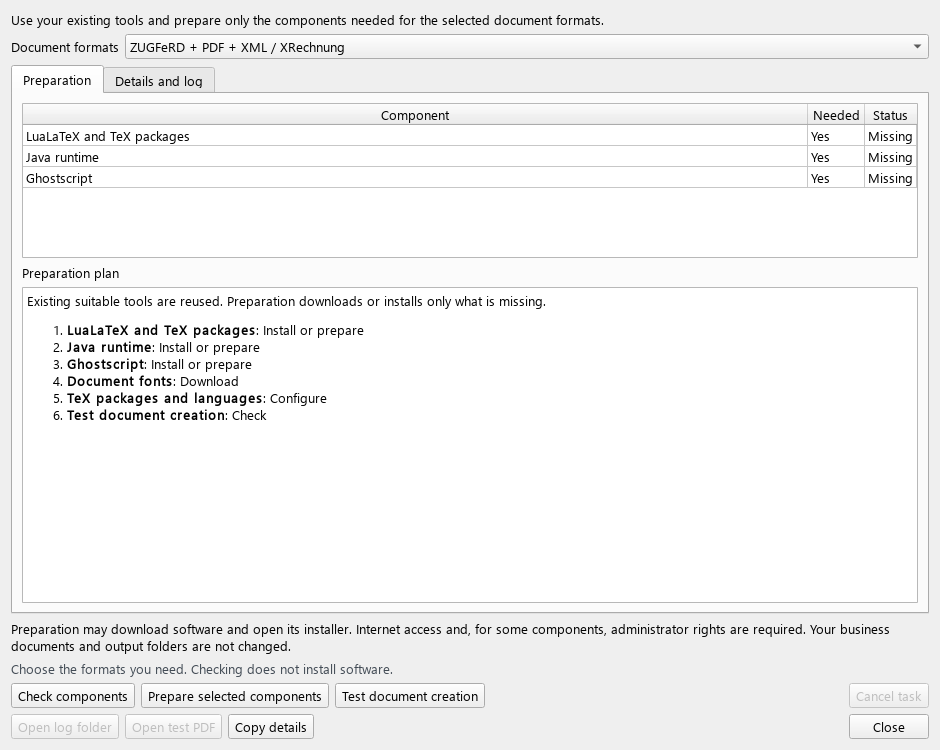
Choose whether to create a desktop shortcut and associate .luabill files. At the end of Setup, you can open the component preparation wizard. To update, close LuaBill and install the new version into the existing application folder; your projects and user settings remain separate.
Linux
Extract the complete Linux archive and run the installer in its folder. A compatible Python 3.10–3.15 with venv and pip is required; installation needs Internet access for PySide6/Qt. The script creates a private environment and registers the application menu entry and .luabill files for your user.
The pinned Qt wheels require a supported glibc desktop Linux and the Qt desktop system libraries. Check the download requirements for your architecture. Native installation and graphical launch have not been verified in the current Windows build environment.
sh install.shsh install.sh --setup-components --language enmacOS
On macOS 14.4 or newer, install a compatible Python 3.10–3.15 with venv and pip, extract the complete ZIP and open Install_LuaBill.command. Intel and Apple Silicon use the same application sources; pip selects the appropriate PySide6/Qt wheels.
Application files normally live under ~/Library/Application Support/LuaBill, with a locally created launcher at ~/Applications/LuaBill.app. This is a source-based installation with a private Python environment. The launcher has no Developer ID signature or notarization, and native macOS launch has not been tested here.
sh Install_LuaBill.commandsh Install_LuaBill.command --setup-components --language enExternal tools and update checks
Prepare LuaLaTeX/texlua, fonts and TeX packages for all documents. Add Java 17+ for XML validation and Ghostscript for ZUGFeRD. Help → Components and installation explains missing tools and links to their official installers.
The component wizard can reuse installed tools and shows actions requiring a terminal or administrator password. After changing PATH or installing a component, restart LuaBill and run the checks again. Help → E-invoice standards and updates checks published rule releases on request; it does not install updates automatically.